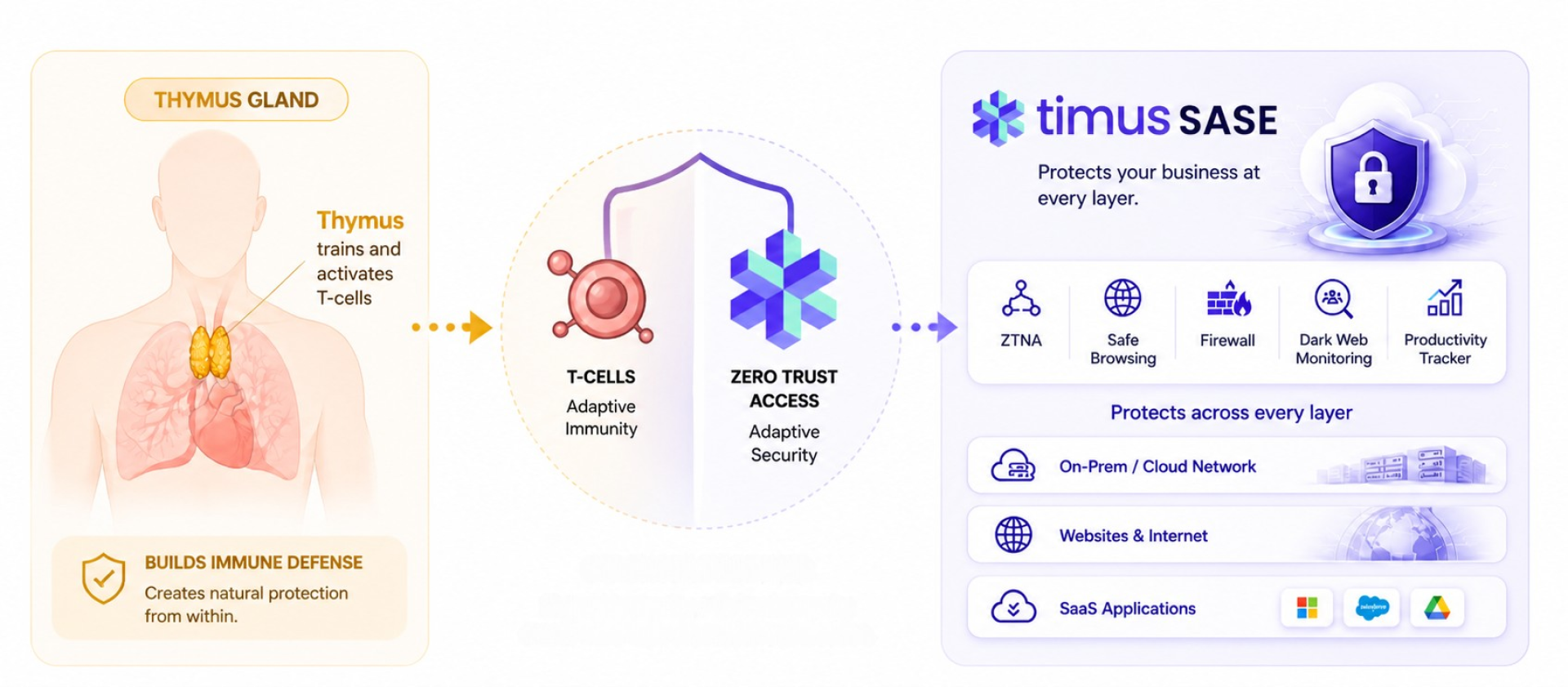



Most MSP security stacks didn’t become bloated overnight. Each new client came with a new tool. Each new threat triggered a new layer. Over time, a stack that once looked like comprehensive coverage turned into a collection of disconnected point solutions — each doing one job, none of them talking to each other.
The result: operational overhead that grows faster than revenue.
This post answers a specific question: what tools does Timus actually replace, and how does consolidating around a unified platform improve both security and operational efficiency.
The Real Problem: Too Many Tools Running in Parallel
Tool sprawl doesn’t show up as a security failure first. It shows up as friction, slow troubleshooting, inconsistent policies, rising ticket volume, and technicians spending more time navigating dashboards than solving problems.
Here’s what a typical MSP security stack looks like before consolidation:
- VPN clients (e.g., Cisco AnyConnect, OpenVPN, GlobalProtect) for remote access
- DNS filtering tools (e.g., Cisco Umbrella, DNSFilter, Webroot DNS Protection) for web security
- Hardware or per-client firewalls (e.g., SonicWall, FortiGate, Meraki MX) for perimeter control
- Standalone MFA overlays (e.g., Duo Security, Okta) layered on top of access workflows
- Endpoint posture checks running through MDM or EDR tools (e.g., Jamf, Intune) as a separate process
- Separate logging and monitoring consoles for each of the above
Each of these tools has its own console, its own licensing, its own support burden, and its own policy model. When something breaks, technicians are left jumping between six different platforms to trace a single issue.
Troubleshooting Becomes Fragmented
A single access issue can involve checking VPN logs in one console, DNS filter events in another, firewall rules in a third, and device posture status in a fourth. There is no single view. Resolution slows down. Escalations increase.
Policies Drift Across Clients
Without centralized enforcement, policies evolve differently per client. One environment blocks social media; another doesn’t. One uses MFA for all logins; another only for admin accounts. The inconsistency compounds every time you onboard someone new.
Manual Effort Increases
Teams compensate for tool gaps with tickets, escalations, and repetitive fixes — not because they want to, but because the tools don’t coordinate. The real cost isn’t licensing. It’s the hours spent stitching systems together.
What Tools Does Timus SASE Actually Replace?
Timus SASE is built to consolidate multiple point solutions into a single platform. Here is exactly what it replaces, tool by tool.
1. VPN Clients → Replaced by ZTNA
Tools like Cisco AnyConnect, OpenVPN, and GlobalProtect establish broad, network-level tunnels. Once a user is authenticated, they typically get access to far more of the network than they need. Zero Trust Network Access (ZTNA) replaces the traditional VPN. Access is granted per application, based on verified user identity and real-time device posture, not per network. No VPN client to deploy, no split tunneling to configure, no broad network exposure.
What this eliminates: VPN licensing costs, VPN client deployment and updates, help desk tickets related to VPN failures, and the security risk of over-permissioned network access.
2. DNS Filtering and Web Security Tools → Replaced by Secure Web Gateway
Standalone tools like Cisco Umbrella, DNSFilter, and Webroot DNS Protection each require their own setup, policy management, and reporting console. MSPs running these per-client deal with multiple subscriptions and inconsistent configurations. Timus Secure Web Gateway replaces these with unified DNS filtering, URL categorization, and content enforcement built directly into the access platform — with no separate subscription, no separate console, and no policy drift between clients.
What this eliminates: Duplicate DNS filtering subscriptions, separate reporting dashboards, and the manual effort of keeping content policies consistent across clients.
3. Per-Client Firewall Management → Replaced by Dynamic Cloud Firewall
Managing per-site hardware firewalls — whether SonicWall, FortiGate, or Meraki MX — means maintaining separate firmware, separate rule sets, and separate support contracts for every client. Timus Dynamic Cloud Firewall centralizes firewall control across all clients in one place. Rules are applied from a single policy engine. There is no per-site hardware to maintain, no firmware update cycles to manage per client, and no separate management dashboard per environment.
What this eliminates: Hardware firewall management per client, per-site firmware maintenance, inconsistent rule sets, and the time cost of managing distributed firewall infrastructure.
4. Separate Posture Enforcement Tools → Replaced by Built-in Device Posture Checks
Verifying device health through standalone MDM tools or manual EDR checks adds a separate step before access decisions are made. Timus builds posture verification directly into the access gate. Before a user can connect, the platform automatically checks that endpoint protection is active, required agents (RMM, EDR) are running, disk encryption is enabled, and device posture meets the defined standard. No separate posture tool required.
What this eliminates: Separate posture enforcement workflows, manual coordination between MDM and access systems, and the risk of access being granted before device health is confirmed.
5. Fragmented Monitoring and Access Logs → Replaced by Unified Visibility
When access logs live in the VPN, DNS events in Umbrella, firewall alerts in SonicWall, and device status in Intune, investigating any incident means logging in to four different consoles and manually correlating data. Timus consolidates access activity, device posture, DNS events, and policy enforcement into a single view. Technicians get the context they need without switching platforms.
What this eliminates: Multi-console incident investigation, manual log correlation, and the time wasted context-switching during troubleshooting.
How One Platform Handles What Five Tools Used To
Replacing multiple tools with a single platform only works if that platform can enforce control continuously and intelligently. Here is how Timus makes that possible.
Access Baseline
Define what “secure access” means once, and apply it across all clients:
- Endpoint protection is active
- Required agents (RMM, EDR) are running
- Disk encryption is enabled
- Device posture meets the defined standard
Access is granted only when these conditions are met. No more relying on separate tools to independently verify each condition before the VPN connects.
Continuous Checks — Not One-Time Login Decisions
Traditional VPNs and most access tools stop checking after login. Timus monitors the session continuously. If a security agent is disabled mid-session, or if a user’s device posture drops below threshold, access is restricted immediately — without waiting for an alert from a separate monitoring tool.
Context-Based Access
Instead of forcing all users through the same rigid access model (which causes VPN failures, repeated MFA prompts, and friction tickets), Timus adapts based on context:
- Trusted environments with known devices: minimal interruption
- Unknown devices or high-risk conditions: stricter enforcement
- Sensitive systems (RMM, PSA, documentation, identity providers): highest access control regardless of location
Built-In Automation
Instead of manual intervention for routine access events, Timus automates the response:
- Block suspicious access attempts automatically
- Trigger additional verification when posture changes
- Restrict sessions when device health drops
- Generate alerts only when escalation is actually needed
5 Practical Steps to Consolidate Without Disrupting Operations
Reducing tool sprawl doesn’t require replacing everything at once. A phased, structured approach reduces risk while delivering immediate operational improvement.
1. Start with Remote Access
VPN is the highest-friction tool in most MSP stacks. It is responsible for a disproportionate share of access-related help desk tickets. Replacing it with ZTNA is usually the highest-ROI consolidation move and does not require changes to other systems.
2. Consolidate DNS Filtering into the Access Platform
If you are running Umbrella, DNSFilter, or Webroot as a separate subscription on top of your access stack, evaluate whether those capabilities are already available within your access platform. Running both in parallel doubles your cost and creates inconsistent enforcement.
3. Move Firewall Management to a Centralized Cloud Model
Per-client hardware firewalls create ongoing maintenance that scales linearly with your client count. Centralizing firewall management through a cloud-native model lets you apply consistent rules across all clients from one place, reducing both time and error rates.
4. Unify Visibility Before Removing Legacy Tools
Before decommissioning any existing tool, make sure visibility is not lost. Set up unified logging in the new platform first, confirm that events are being captured, and validate that the data matches what your previous tools were reporting. Only then retire the legacy system.
5. Standardize Policy Across Clients
Use consolidation as an opportunity to standardize. Define a baseline security policy once and apply it as the default across all clients. Handle client-specific exceptions through policy variants, not separate tool configurations. This reduces complexity and makes onboarding significantly faster.
When You Simplify the Stack, Everything Works Better
Reducing tool sprawl is not just about cleaning up the back-end. It directly changes how your team operates, how clients experience your service, and how your business scales.
Fewer Tickets
VPN failures, DNS misconfigurations, and firewall rule inconsistencies are among the most common sources of access-related support tickets. When these functions are unified and policy-driven rather than managed in separate tools, most of these ticket drivers disappear.
Faster Troubleshooting
With unified visibility across access, DNS, device posture, and firewall events, technicians work from one console. Tracing an incident that previously required four logins now requires one.
Consistent Enforcement Across Clients
Centralized policy enforcement means rules apply the same way across every client environment. No more discrepancies between what one client has and what another doesn’t.
Easier and Faster Onboarding
When the same platform handles access, web filtering, and firewall for all clients, onboarding a new client means applying a standard template — not procuring and configuring three separate tools.
Stronger Security With Less Complexity
Security improves not by adding tools, but by removing gaps between them. When ZTNA, SWG, cloud firewall, and posture enforcement operate as a single system, there are no seams between tools for threats to slip through.
Predictable Outcomes
A single access model enforced consistently produces predictable, auditable outcomes. When something changes, the platform responds the same way every time — not differently depending on which tool happened to catch it first.
Operational Headroom to Grow
When your security operations are simplified, adding new clients doesn’t mean adding proportional complexity. The same platform, the same policies, and the same team can support more clients without the overhead multiplying at the same rate.
Final Thought
Most MSPs don’t need more tools. They need VPN replaced with ZTNA, DNS filtering unified with access control, firewall management centralized, and all of it visible in one place. That’s what tool sprawl reduction actually means in practice: a clear answer to the question of what gets replaced, not just what gets added. That’s the approach the Timus SASE platform is built around — helping MSPs eliminate point solutions and operate through a single, unified access-driven model.
FAQs
1. Which specific tools does Timus replace in an MSP security stack?
Timus replaces VPNs, DNS filtering tools, per-client firewalls, posture checks, and multi-console monitoring — bringing everything into one unified platform.
2. Do MSPs lose security coverage by eliminating these individual tools?
No, security stays intact and often improves because all controls work together in real time instead of in silos.
3. How do MSPs handle client-specific requirements without keeping separate tools?
By standardizing the core setup and managing differences through flexible policy rules — not additional tools.
4. What's the right order to consolidate tools when starting with Timus?
Start with VPN → move to DNS filtering → centralize firewalls. Validate each step before scaling further.



 Tie-mus (like “time-us,” but sharper)